In 2026, the graphic design software landscape has evolved dramatically with AI-powered features, cloud-based collaboration, and advanced vector capabilities. Professional designers need tools that combine traditional design excellence with cutting-edge technology to stay competitive. This comprehensive guide examines the best graphic design software available in 2026, comparing features, pricing, and suitability for different design workflows.
Key Takeaways
- Adobe Creative Cloud remains the industry standard with AI-enhanced features in 2026
- Figma continues dominating collaborative design with advanced prototyping capabilities
- Canva Pro has evolved into a serious professional tool with enterprise features
- Affinity Suite 2.5 offers the best value for one-time purchase software
- Cloud-based solutions now provide real-time collaboration and cross-device synchronization
- AI integration is standard across all major platforms for automated design assistance
What Is the Best Graphic Design Software for Professional Designers in 2026?
The best graphic design software in 2026 depends on your specific needs, budget, and workflow requirements. Professional designers typically choose between subscription-based platforms like Adobe Creative Cloud or one-time purchase solutions like Affinity Designer.
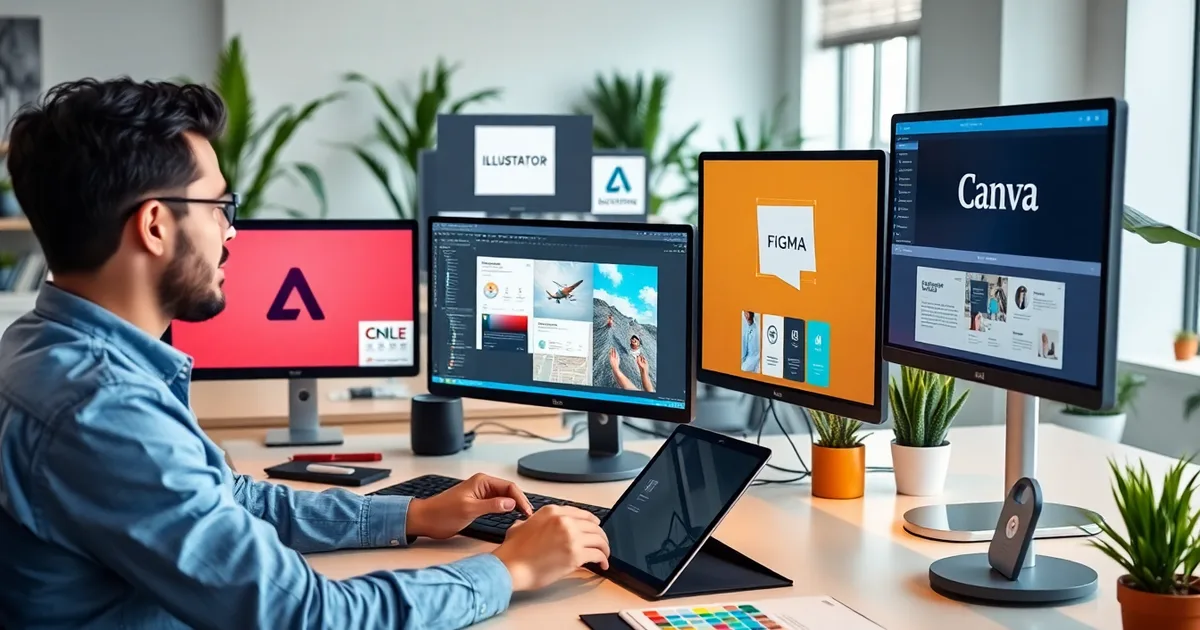
Modern graphic design software must handle multiple formats, provide seamless collaboration features, and integrate AI-powered design assistance. The top contenders in 2026 include Adobe Illustrator, Figma, Canva Pro, Affinity Designer, and CorelDRAW Graphics Suite.
Each platform offers unique strengths: Adobe excels in comprehensive toolsets, Figma dominates collaborative workflows, while Affinity provides excellent value without subscriptions. Platforms like AppBull often feature discounted licenses and bundles for these professional tools, making premium software more accessible to freelancers and small studios.
How Do Adobe Creative Cloud Tools Compare in 2026?
Adobe Creative Cloud remains the industry gold standard for graphic design software, with significant AI enhancements introduced throughout 2025 and early 2026. The suite includes Illustrator for vector graphics, Photoshop for image editing, and InDesign for layout design.
Adobe Illustrator 2026 Features
- AI-Powered Vector Generation: Create complex illustrations from text prompts
- Enhanced Cloud Collaboration: Real-time co-editing with team members
- Advanced Typography Tools: Variable font support and automated kerning
- 3D Design Integration: Native 3D object creation and manipulation
- Performance Improvements: 40% faster rendering on complex vector files
Adobe's subscription model costs $52.99/month for the complete Creative Cloud suite or $22.99/month for individual applications. While expensive, the integration between applications and regular feature updates justify the cost for professional studios.
Adobe Photoshop 2026 Capabilities
- Neural Filters 3.0: Advanced AI-powered image manipulation
- Content-Aware Fill Plus: Improved background removal and object replacement
- HDR Workflow Enhancement: Better support for high dynamic range imaging
- Web Design Tools: Integrated responsive design features
Which Cloud-Based Design Platforms Lead in 2026?
Cloud-based graphic design software has become essential for modern creative workflows, enabling seamless collaboration and cross-device accessibility. Figma, Canva Pro, and Adobe's cloud offerings dominate this space.
Figma's Professional Evolution
Figma has expanded beyond UI/UX design to become a comprehensive graphic design platform. The 2026 version includes advanced illustration tools, making it competitive with traditional vector software.
- Advanced Vector Tools: Bezier curve manipulation and path operations
- Design Systems 2.0: Automated component management and scaling
- Real-Time Collaboration: Up to 100 simultaneous editors
- Plugin Ecosystem: Over 5,000 community-developed plugins
- Enterprise Security: SSO, audit logs, and data governance features
Figma's pricing starts at $12/month per editor for professional teams, with enterprise plans available for larger organizations requiring advanced security and administration features.
Canva Pro's Professional Transformation
Canva Pro has evolved significantly, now offering sophisticated design tools that rival traditional desktop applications. The platform's AI-powered features and extensive template library make it particularly attractive for content marketing and social media design.
- Brand Kit Pro: Advanced brand management and consistency tools
- Magic Design AI: Automated layout generation from content
- Advanced Animation: Professional motion graphics capabilities
- Print Production: High-resolution output for professional printing
What Are the Best One-Time Purchase Design Tools?
For designers preferring to avoid subscription fees, one-time purchase graphic design software offers excellent value. Affinity Suite and CorelDRAW Graphics Suite lead this category in 2026.
Affinity Designer 2.5 Analysis
Serif's Affinity Suite provides professional-grade tools without ongoing subscription costs. The 2026 update (version 2.5) includes significant performance improvements and new AI features.
- Unified Interface: Switch between vector, raster, and page layout modes
- Performance Excellence: Native Apple Silicon and Intel optimization
- File Compatibility: Full Adobe file format support (PSD, AI, INDD)
- Professional Output: CMYK, spot colors, and advanced printing options
- One-Time Cost: $69.99 per application or $169.99 for the complete suite
The Affinity suite works across desktop and iPad platforms, with cloud sync for seamless workflow transitions. This makes it particularly attractive for designers who need project management integration and mobile design capabilities.
CorelDRAW Graphics Suite 2026
CorelDRAW remains popular among Windows users, offering comprehensive vector illustration and page layout tools. The 2026 version includes enhanced AI features and improved collaboration tools.
- AI-Powered Design Assistant: Automated color harmony and layout suggestions
- Enhanced Typography: Variable font support and advanced text formatting
- Collaboration Hub: Cloud-based project sharing and review system
- Web Graphics Optimization: Integrated tools for digital asset creation
How Do Specialized Design Tools Compare?
Beyond general-purpose graphic design software, specialized tools excel in specific design disciplines. These include 3D design, motion graphics, and web-focused design applications.
Motion Graphics and Animation Software
- After Effects 2026: Industry-standard motion graphics with AI-powered animation
- Cinema 4D: Professional 3D modeling and animation capabilities
- Principle: Simplified interface animation and prototyping
- Rive: Real-time interactive animation for web and mobile
Web Design Focused Tools
- Webflow: Visual web development with advanced CMS features
- Sketch: Mac-exclusive vector design with strong plugin ecosystem
- Adobe XD: Integrated UX/UI design and prototyping platform
- Framer: Interactive design with code-free component creation
Many of these specialized tools integrate with broader development workflows, similar to how automated testing tools enhance software development processes.
Which Graphic Design Software Offers the Best Value in 2026?
Value in graphic design software depends on your usage patterns, team size, and specific feature requirements. Different pricing models suit different user profiles.
| Software | Pricing Model | Monthly Cost | Best For | Key Strength |
|---|---|---|---|---|
| Adobe Creative Cloud | Subscription | $52.99 | Professional Studios | Complete Ecosystem |
| Figma | Subscription | $12.00 | Collaborative Teams | Real-time Collaboration |
| Canva Pro | Subscription | $14.99 | Content Marketers | Template Library |
| Affinity Suite | One-time | $14.17* | Individual Designers | No Subscription |
| CorelDRAW | Both Options | $22.42 | Windows Users | Vector Excellence |
*Amortized over 12 months
Budget-Friendly Alternatives
For freelancers and small businesses, several excellent budget options provide professional capabilities without premium pricing:
- GIMP: Free, open-source image editor with extensive plugin support
- Inkscape: Professional vector graphics editor, completely free
- Krita: Digital painting and illustration tool with advanced brush engines
- Gravit Designer: Cloud-based vector design with free and pro tiers
Marketplaces like AppBull often offer discounted licenses for premium software, making professional tools more accessible to budget-conscious designers.
What Features Should You Look for in Modern Graphic Design Software?
Modern graphic design software must include several essential features to meet current professional standards and workflow requirements.
Essential Core Features
- Vector and Raster Support: Handle both scalable graphics and pixel-based images
- Layer Management: Advanced layering with blend modes and effects
- Typography Tools: Comprehensive text formatting and font management
- Color Management: CMYK/RGB support with accurate color profiles
- File Format Compatibility: Import/export industry-standard formats
Modern Workflow Requirements
- Cloud Synchronization: Access projects across multiple devices
- Real-time Collaboration: Multiple users editing simultaneously
- Version Control: Track changes and revert to previous versions
- Plugin Ecosystem: Extend functionality with third-party tools
- API Integration: Connect with other business tools and workflows
Similar to how API monitoring tools ensure reliable software integration, modern design tools must seamlessly connect with other creative and business applications.
AI and Automation Features
- Content-Aware Scaling: Intelligent image resizing for different formats
- Automated Layout Generation: AI-powered design suggestions and templates
- Smart Object Recognition: Automatic tagging and categorization
- Color Palette Generation: AI-assisted color scheme creation
- Background Removal: One-click subject isolation
How to Choose the Right Graphic Design Software for Your Needs?
Selecting the optimal graphic design software requires careful consideration of your specific requirements, budget constraints, and long-term goals.
Assessment Questions
- What type of design work do you primarily create? (logos, web graphics, print materials, illustrations)
- Do you work independently or with a team? (collaboration requirements)
- What's your experience level? (beginner-friendly vs. advanced tools)
- What's your budget preference? (subscription vs. one-time purchase)
- Which platforms do you use? (Windows, Mac, tablet, browser-based)
Decision Framework
- For Professional Studios: Adobe Creative Cloud provides the most comprehensive toolset
- For Collaborative Teams: Figma excels in real-time collaboration and handoff
- For Budget-Conscious Users: Affinity Suite offers professional features without subscriptions
- For Content Creators: Canva Pro balances ease-of-use with professional capabilities
- For Specialized Needs: Consider tools like CorelDRAW for vector work or Sketch for UI design
What Are the Latest Trends in Graphic Design Software Development?
The graphic design software industry continues evolving rapidly, with several key trends shaping development in 2026.
Artificial Intelligence Integration
AI features have moved from experimental to essential, with most major platforms incorporating intelligent design assistance:
- Generative Design: AI creates design variations from initial concepts
- Smart Cropping: Automatic composition optimization for different aspect ratios
- Style Transfer: Apply artistic styles across different design elements
- Automated Accessibility: AI ensures designs meet accessibility standards
Cross-Platform Synchronization
Seamless workflow across desktop, tablet, and mobile devices has become standard, enabling designers to work anywhere with full feature parity.
No-Code Integration
Modern design tools integrate with broader business workflows without requiring technical expertise, similar to low-code development platforms that democratize application creation.
Best Practices for Graphic Design Software Selection
Implementing a structured approach to software selection ensures you choose tools that support long-term success and productivity.
Evaluation Process
- Trial Multiple Options: Use free trials to test workflow compatibility
- Assess Learning Curve: Consider training time and resource requirements
- Test File Compatibility: Ensure seamless integration with client and partner workflows
- Evaluate Performance: Test with realistic project sizes and complexity
- Consider Total Cost: Include training, plugins, and storage in budget calculations
Implementation Strategy
- Start with Core Tools: Master primary software before adding specialized applications
- Plan Training Time: Allocate adequate time for team skill development
- Establish Standards: Create consistent file naming and organization systems
- Regular Review: Reassess tool effectiveness quarterly
Cost Optimization Tips
- Educational Discounts: Many platforms offer significant student and educator pricing
- Annual Subscriptions: Usually provide 15-20% savings over monthly billing
- Bundle Deals: Complete suites often cost less than individual applications
- Marketplace Opportunities: Platforms like AppBull frequently offer promotional pricing
The graphic design software landscape in 2026 offers unprecedented choice and capability. Whether you choose subscription-based platforms like Adobe Creative Cloud and Figma, or one-time purchase solutions like Affinity Suite, success depends on matching tools to your specific workflow requirements. Consider factors like collaboration needs, budget constraints, and long-term scalability when making your decision. The integration of AI features across all major platforms means that productivity gains are available regardless of your chosen solution, making this an excellent time to upgrade or optimize your design toolkit.