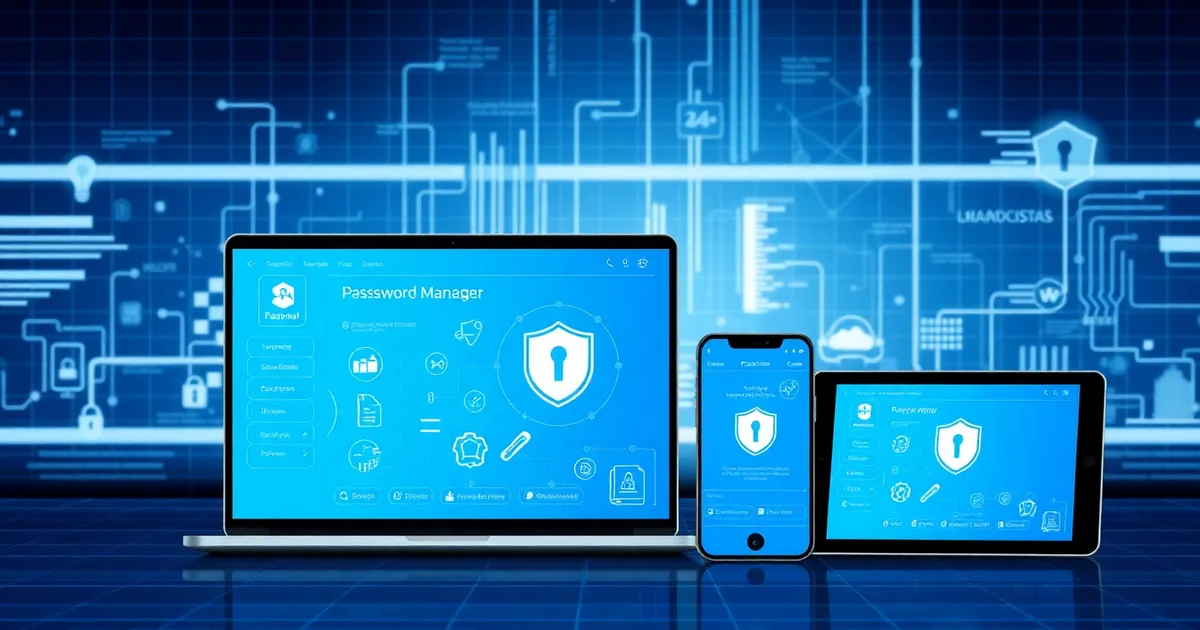
In 2026, password managers have become essential cybersecurity tools for individuals and organizations alike. With cyber threats evolving rapidly and data breaches affecting millions of users annually, choosing the right password management solution can make the difference between secure digital operations and catastrophic security failures. This comprehensive guide examines the best password managers available in 2026, comparing enterprise-grade solutions against personal alternatives to help you make an informed decision.
Key Takeaways
- Enterprise password managers offer advanced features like SSO integration, detailed audit logs, and centralized admin controls
- Personal password managers focus on ease of use, cross-device synchronization, and individual security features
- Top enterprise solutions include Bitwarden Business, 1Password Business, and Keeper Business
- Leading personal options are Bitwarden Personal, LastPass, and Apple Keychain
- Zero-knowledge architecture remains the gold standard for password security
- Multi-factor authentication (MFA) and biometric access are now baseline requirements
What Are Password Managers and Why Do You Need Them in 2026?
Password managers are specialized software applications designed to generate, store, and automatically fill complex passwords across multiple accounts and devices. In 2026, the average internet user maintains over 150 online accounts, making manual password management virtually impossible.
Modern password managers employ zero-knowledge encryption, meaning even the service provider cannot access your stored passwords. This architecture ensures that your sensitive data remains secure even if the password manager's servers are compromised.
The cybersecurity landscape in 2026 presents unique challenges. With AI-powered attacks becoming more sophisticated and quantum computing threats on the horizon, robust password management has evolved from a convenience feature to a business-critical security requirement.
How Do Enterprise Password Managers Differ from Personal Solutions?
Enterprise and personal password managers serve fundamentally different needs, though they share core security principles. Understanding these differences is crucial for selecting the appropriate solution for your organization or personal use.
Enterprise Password Manager Features
- Centralized Administration: IT teams can manage user access, enforce security policies, and monitor usage across the organization
- Single Sign-On (SSO) Integration: Seamless integration with existing identity management systems
- Advanced Audit Logs: Comprehensive tracking of password access, sharing, and modifications
- Role-Based Access Controls: Granular permissions based on user roles and departmental needs
- Compliance Reporting: Built-in tools for meeting regulatory requirements like SOX, HIPAA, and GDPR
- Emergency Access: Secure protocols for accessing critical passwords during emergencies
Personal Password Manager Features
- Cross-Device Synchronization: Seamless password access across smartphones, tablets, and computers
- Intuitive User Interface: Simple, user-friendly design optimized for individual use
- Personal Vault Organization: Flexible categorization and tagging systems for personal preference
- Family Sharing Options: Secure password sharing among family members
- Password Health Monitoring: Individual alerts for weak, reused, or compromised passwords
- Affordable Pricing: Cost-effective solutions for personal use
What Are the Best Enterprise Password Managers in 2026?
Enterprise password managers in 2026 have evolved to address complex organizational security needs while maintaining user-friendly interfaces. Here are the top enterprise solutions currently dominating the market.
Bitwarden Business
Bitwarden Business continues to lead the enterprise market with its open-source architecture and comprehensive feature set. The platform offers unlimited password storage, secure sharing, and robust administrative controls at competitive pricing.
Key features include advanced two-factor authentication options, custom fields for storing additional secure information, and seamless integration with popular business intelligence tools for security analytics.
1Password Business
1Password Business excels in user experience and security innovation. Their Secret Automation feature, introduced in late 2025, revolutionizes how development teams manage API keys and certificates.
The platform's integration capabilities extend beyond traditional password management, connecting with development workflows and code repository hosting platforms for comprehensive DevSecOps support.
Keeper Business
Keeper Business stands out with its zero-trust security model and advanced compliance features. The platform provides detailed audit trails and supports over 100 two-factor authentication methods, making it ideal for heavily regulated industries.
Their BreachWatch feature continuously monitors the dark web for compromised credentials, providing proactive security alerts to IT administrators.
Which Personal Password Managers Offer the Best Value in 2026?
Personal password managers have become increasingly sophisticated, offering enterprise-level security features at consumer-friendly prices. These solutions prioritize ease of use while maintaining robust security standards.
Bitwarden Personal
Bitwarden's personal tier remains the gold standard for individual users, offering a generous free plan with unlimited password storage and basic sharing capabilities. The premium tier, priced competitively, adds advanced features like encrypted file storage and priority support.
Apple Keychain
Apple Keychain has significantly improved in 2026, adding cross-platform compatibility and enhanced sharing features. For users heavily invested in the Apple ecosystem, Keychain provides seamless integration with minimal setup requirements.
Google Password Manager
Google's password management solution has evolved into a comprehensive security platform, offering built-in breach monitoring and AI-powered security recommendations. The deep integration with Chrome and Android devices makes it particularly attractive for Google ecosystem users.
How to Choose Between Enterprise and Personal Password Manager Solutions?
Selecting the right password manager requires careful consideration of your specific needs, security requirements, and organizational structure. The decision matrix below outlines key factors to consider.
| Factor | Enterprise Solution | Personal Solution |
|---|---|---|
| User Count | 10+ users with admin oversight | 1-5 individual/family users |
| Compliance Needs | SOX, HIPAA, GDPR reporting required | Basic security compliance |
| Integration Requirements | SSO, LDAP, business systems | Personal apps and browsers |
| Budget Considerations | $3-8 per user per month | Free to $5 per month total |
| Support Needs | 24/7 support, dedicated success manager | Self-service, community support |
| Security Features | Advanced audit logs, emergency access | Personal vault, basic sharing |
Decision Framework
Consider enterprise solutions if you need centralized management, compliance reporting, or advanced integration capabilities. Personal solutions are ideal for individual users, small teams, or organizations with simple password management needs.
Many organizations adopt a hybrid approach, using enterprise solutions for business-critical systems while allowing personal password managers for individual use. This strategy balances security requirements with user preferences.
What Security Features Should You Prioritize in 2026?
The cybersecurity landscape in 2026 demands specific security features that weren't priorities in previous years. Understanding these requirements helps ensure your chosen password manager provides adequate protection against contemporary threats.
Essential Security Features
- Zero-Knowledge Architecture: Ensures the service provider cannot access your encrypted data
- End-to-End Encryption: AES-256 encryption with secure key derivation functions
- Multi-Factor Authentication: Support for hardware keys, biometrics, and authenticator apps
- Secure Sharing: Encrypted password sharing with access controls and expiration dates
- Breach Monitoring: Continuous monitoring for compromised credentials
- Regular Security Audits: Third-party security assessments and penetration testing
Advanced Security Considerations
In 2026, quantum-resistant encryption is becoming a differentiating factor. Leading password managers are beginning to implement post-quantum cryptography to prepare for future quantum computing threats.
Biometric authentication has also evolved, with advanced facial recognition and fingerprint scanning providing both security and convenience. These features reduce reliance on master passwords while maintaining strong security standards.
How Much Do Password Managers Cost in 2026?
Password manager pricing in 2026 varies significantly based on features, user count, and target market. Understanding the cost structure helps organizations and individuals budget appropriately for password security.
Personal Password Manager Pricing
- Free Tiers: $0/month - Basic password storage with limited features
- Premium Personal: $1-5/month - Advanced features, priority support
- Family Plans: $3-8/month - Multi-user sharing for families
Enterprise Password Manager Pricing
- Business Starter: $3-5/user/month - Essential business features
- Business Professional: $5-8/user/month - Advanced admin controls, compliance features
- Enterprise: $8-15/user/month - Custom integration, dedicated support
Many organizations find that platforms like AppBull offer competitive pricing on password management solutions through bundled software packages, making enterprise-grade security more accessible to smaller organizations.
What Implementation Best Practices Should You Follow?
Successful password manager implementation requires careful planning and phased deployment. These best practices ensure smooth adoption and maximum security benefits.
Implementation Steps
- Conduct Security Assessment: Evaluate current password practices and identify vulnerabilities
- Select Pilot Group: Choose tech-savvy early adopters for initial deployment
- Develop Migration Plan: Create systematic approach for importing existing passwords
- Establish Policies: Define password complexity requirements and sharing protocols
- Provide Training: Comprehensive user education on features and best practices
- Monitor Adoption: Track usage metrics and address resistance or technical issues
- Regular Reviews: Periodic assessment of password health and security posture
Common Implementation Challenges
User resistance remains the primary challenge in password manager adoption. Address this through comprehensive training, highlighting convenience benefits alongside security improvements.
Integration complexity can also pose challenges, particularly for organizations with extensive existing systems. Similar to implementing email marketing automation software, password manager integration requires careful planning and technical expertise.
How Do Password Managers Integrate with Modern Workflows?
Modern password managers extend beyond simple credential storage, integrating deeply with contemporary business workflows and development practices. Understanding these integrations helps maximize the value of your password management investment.
Development Workflow Integration
Password managers now integrate seamlessly with development environments, providing secure access to API keys, database credentials, and deployment secrets. This integration reduces security risks while streamlining development processes.
For teams using API monitoring tools, password managers can securely store and rotate API credentials automatically, ensuring continuous monitoring without compromising security.
Business Process Integration
Enterprise password managers integrate with customer relationship management systems, helping sales teams securely access client accounts and shared resources. This integration is particularly valuable for organizations using comprehensive CRM software solutions.
Financial integrations enable secure access to banking systems and payment processors, crucial for businesses managing invoice software and billing systems.
What Future Trends Will Shape Password Management?
Password management continues evolving rapidly, with several trends shaping the industry's future direction. Understanding these trends helps organizations prepare for upcoming changes and select solutions with long-term viability.
Passwordless Authentication
The movement toward passwordless authentication gains momentum in 2026, with biometric authentication and hardware keys becoming mainstream alternatives to traditional passwords. Leading password managers are pivoting to become comprehensive authentication platforms rather than simple password repositories.
AI-Powered Security
Artificial intelligence increasingly powers password managers' security features, from intelligent threat detection to automated password rotation. Machine learning algorithms analyze usage patterns to identify suspicious activities and recommend security improvements.
Quantum-Resistant Encryption
As quantum computing advances, password managers are implementing quantum-resistant encryption algorithms to maintain long-term security. This proactive approach ensures continued protection as quantum threats materialize.
Practical Tips for Maximizing Password Manager Benefits
Getting maximum value from your password manager requires understanding advanced features and implementing best practices. These actionable tips help optimize your password security strategy.
- Enable All Available MFA Options: Use hardware keys, biometrics, and authenticator apps for layered security
- Regularly Audit Password Health: Use built-in tools to identify weak, reused, or compromised passwords
- Leverage Secure Sharing Features: Share passwords securely rather than using insecure methods like email or messaging
- Implement Emergency Access Protocols: Establish procedures for accessing critical passwords during emergencies
- Use Custom Fields for Additional Data: Store security questions, recovery codes, and other sensitive information
- Enable Breach Monitoring: Activate dark web monitoring for proactive credential compromise detection
- Regular Backup and Recovery Testing: Ensure you can recover access to your password vault if needed
- Train Team Members Continuously: Provide ongoing education about password security and manager features
- Monitor Usage Analytics: Track adoption metrics and identify areas for improvement
- Integrate with Existing Tools: Connect password managers with business applications for streamlined workflows
Should Small Businesses Choose Enterprise or Personal Password Managers?
Small businesses often struggle with the decision between enterprise and personal password manager solutions. The choice depends on several factors including team size, security requirements, and growth plans.
For teams under 10 users with simple sharing needs, premium personal plans often provide sufficient functionality at lower costs. However, businesses planning rapid growth or operating in regulated industries should consider enterprise solutions from the beginning.
The scalability factor becomes crucial when evaluating long-term needs. While personal solutions may meet immediate requirements, enterprise features like centralized administration and compliance reporting become valuable as organizations grow.
Many small businesses find that marketplaces like AppBull offer cost-effective access to enterprise password management tools through bundled packages, making advanced features more accessible to smaller organizations.
Choosing the right password manager in 2026 requires balancing security, usability, and cost considerations. Whether selecting enterprise-grade solutions for organizational security or personal managers for individual use, the key is implementing any password manager consistently rather than continuing with insecure password practices. The cybersecurity landscape demands proactive password management, making these tools essential investments for protecting digital assets and sensitive information.